Mux
Open-source desktop and browser coding-agent multiplexer for running parallel AI agents across isolated local, worktree, and SSH workspaces.
Do not bounce yet
Read the fit check, compare one alternative, then decide whether the vendor page is still your best next click.
Quick Verdict
Fast fit check before you leave the page
Make the fit call first. Vendor pages are good at selling, but they rarely tell you where the product is a bad match.
- Developers experimenting with parallel AI coding agents on real repositories
- Teams that need worktree or remote-compute isolation for agent tasks
- Engineering leads who want better review, status, and cost visibility around autonomous coding work
- Mux is still young, so teams should expect rapid product movement and rougher edges than older tools such as Aider or Claude Code.
- The AGPL-3.0 license is a real constraint for some commercial embedding or hosted-service scenarios.
- Current prebuilt desktop binaries are centered on macOS and Linux, so Windows users may need a browser or remote workflow rather than a native desktop path.
Compare Next
Take one more internal step before the vendor pitch
This is where visitors usually jump out too early. Read one deeper take or open one alternative so the next click is informed instead of impulsive.
Alternative profile
Agent Deck
Open-source terminal session manager for running and supervising multiple AI coding agents across isolated git worktrees.
Alternative profile
Agent of Empires
Open-source terminal and web session manager for running multiple AI coding agents across isolated git worktrees and sandboxes.
Alternative profile
Claude Squad
Open-source terminal app for managing multiple AI coding agents like Claude Code, Codex, OpenCode, and Aider across isolated workspaces.
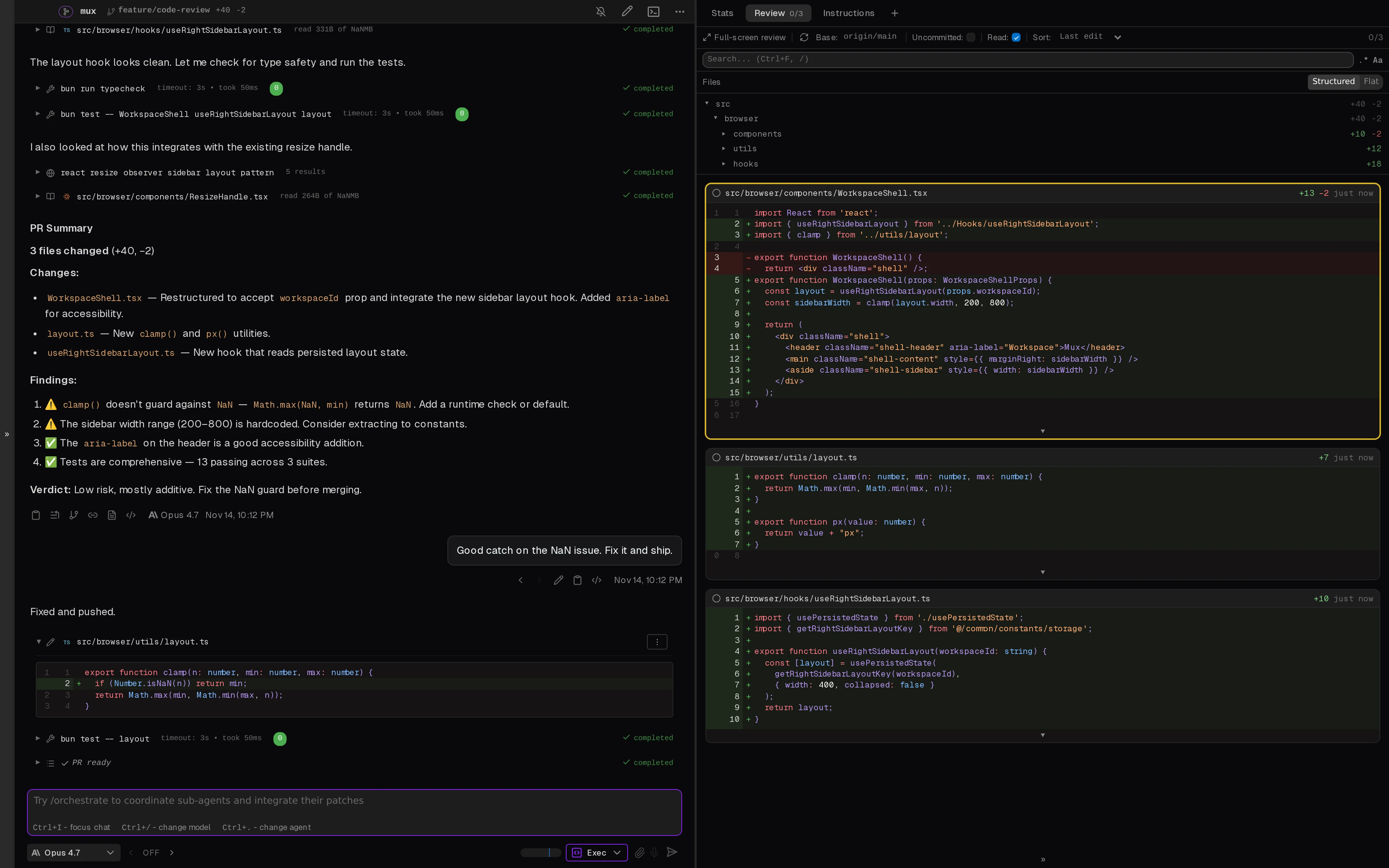
Mux is a Coder-backed open-source workspace for developers who are already past the one-agent-one-terminal phase. It combines a desktop and browser UI, isolated runtimes, git divergence views, model routing, and review tooling so multiple AI coding agents can work in parallel without turning repo state into a mess.
Mux is Coder's open-source coding-agent multiplexer for developers who want parallel agent work without turning one checkout into a collision zone. It gives teams a desktop and browser UI for planning and executing tasks with multiple AI agents, isolates work in local directories, git worktrees, or SSH-backed remote compute, and adds operational affordances such as git divergence views, Plan and Exec modes, VS Code workspace jumps, model routing, rich markdown output, token and cost visibility, and compaction controls. That makes it directly relevant to vibe-coding teams evaluating multi-agent control planes rather than another single-chat editor assistant.
Why Choose Mux?
Choose Mux when the bottleneck is supervising several coding agents at once, not getting one more chat-style code suggestion.
Its local, worktree, and SSH runtime modes give teams a cleaner isolation story than letting every agent mutate the same checkout.
Git divergence, code-review, status, token, and cost views make the product useful for real operator workflows instead of only launch demos.
Because it supports frontier models, OpenRouter, and Ollama, Mux can fit teams that want model flexibility alongside a dedicated multi-agent UI.
Key Features
Run parallel coding-agent tasks from a desktop and browser workspace instead of scattering sessions across separate terminals.
Choose isolated runtime modes: local project execution, git worktree isolation on the same machine, or SSH-backed remote compute.
Review git divergence, code-review output, agent status, token usage, and cost data from one UI built around multi-agent supervision.
Use a custom agent loop with familiar Claude Code-style Plan and Exec modes, vim-oriented inputs, compaction, and mode prompts.
Route work across frontier, OpenRouter, and local Ollama models instead of forcing one vendor path.
Jump into Mux workspaces from the VS Code extension when a task needs direct editor inspection.
Pros & Cons
- Mux is aimed at the real parallel-agent problem: isolation, review, status visibility, and cost awareness around several active coding tasks.
- Worktree and SSH runtime choices make it more practical for serious repo work than browser-only agent demos.
- The Coder-backed repo has meaningful public traction and very fresh development activity, which lowers the risk of listing a dead launch project.
- The UI exposes operational details like git divergence and token costs that developers actually need when supervising agents.
- Mux is still young, so teams should expect rapid product movement and rougher edges than older tools such as Aider or Claude Code.
- The AGPL-3.0 license is a real constraint for some commercial embedding or hosted-service scenarios.
- Current prebuilt desktop binaries are centered on macOS and Linux, so Windows users may need a browser or remote workflow rather than a native desktop path.
- Because it ships its own agent loop, teams already standardized on Claude Code, Codex, or OpenCode may need to decide whether they want another execution surface or only an orchestrator.
Detailed Use Cases for Mux
Use Mux when several AI agents need to work on related tasks without all editing the same working tree at once.
Mux is useful when you want branch divergence, generated code, findings, and review context visible before accepting an agent's changes.
SSH runtime support lets teams run agents on remote machines while keeping the browser or desktop UI available for supervision.
Mux fits developers who want to route tasks through frontier APIs, OpenRouter, or local Ollama models without changing the surrounding workspace each time.
Who Should Use Mux?
Developers experimenting with parallel AI coding agents on real repositories
Teams that need worktree or remote-compute isolation for agent tasks
Engineering leads who want better review, status, and cost visibility around autonomous coding work
VS Code users who still want a dedicated workspace for multi-agent execution and supervision
Perfect For
Running multiple AI coding agents on the same repository while isolating each task in a local, worktree, or SSH workspace.
Reviewing branch divergence, generated diffs, and agent findings before deciding what to merge back.
Supervising model spend and token usage during longer autonomous coding sessions.
Giving remote servers or heavier machines a browser-accessible agent workspace while keeping local review in the loop.
Technical Details
Mux Comparisons & Alternatives
Mux review
Mux vs cmux
Mux vs Claude Squad
Mux vs Agent Deck
open source coding agent multiplexer
parallel AI coding agents with git worktrees
Developers compare Mux with other vibe coding tools when they need a better workflow fit, not just a better landing page.
Direct Competitors
cmux
Claude Squad
Agent Deck
Agent of Empires
Parallel Code
Similar Tools You Might Like
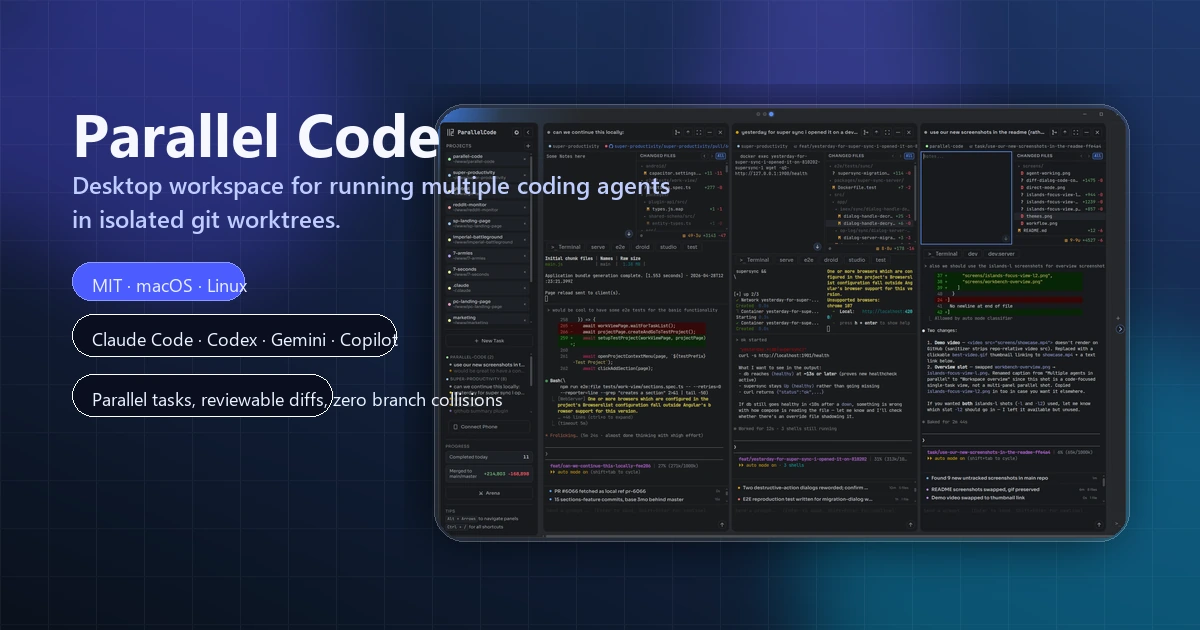
Open-source desktop workspace for running multiple AI coding agents in parallel across isolated git worktrees.

Community Codex CLI fork that adds Auto Drive orchestration, background Auto Review, browser/CDP integration, theming, and multi-agent commands.
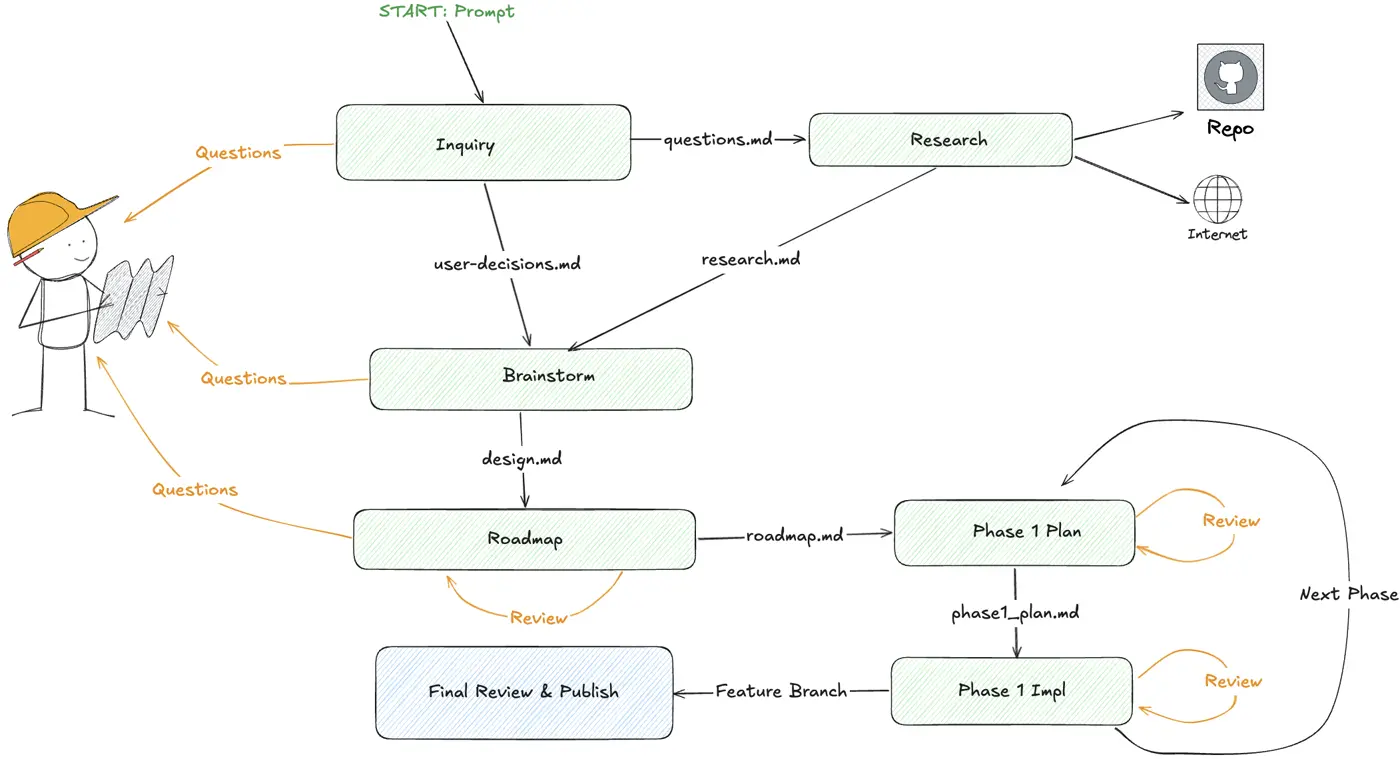
DoorDash open-source TUI that turns large feature requests into checkpointed multi-phase coding-agent workflows across Claude Code, Codex, and OpenCode.
Alternative Tools to Consider

Open-source terminal session manager for running and supervising multiple AI coding agents across isolated git worktrees.

Open-source terminal and web session manager for running multiple AI coding agents across isolated git worktrees and sandboxes.

Open-source terminal app for managing multiple AI coding agents like Claude Code, Codex, OpenCode, and Aider across isolated workspaces.

Native macOS terminal for running parallel AI coding agents with vertical tabs, browser splits, SSH workspaces, and attention-aware notifications.

Minimal open-source terminal coding agent focused on extensibility, tree-structured sessions, and shell-native repo workflows.
Minimal terminal coding harness with extensions, skills, tree-structured sessions, and serious multi-provider model support.
Do one more comparison before you commit to Mux
Strong picks usually survive one more internal check. Read deeper, compare a neighbor, then leave for the vendor page if the fit still holds.