
Every Code
Community Codex CLI fork that adds Auto Drive orchestration, background Auto Review, browser/CDP integration, theming, and multi-agent commands.
Do not bounce yet
Read the fit check, compare one alternative, then decide whether the vendor page is still your best next click.
Quick Verdict
Fast fit check before you leave the page
Make the fit call first. Vendor pages are good at selling, but they rarely tell you where the product is a bad match.
- Developers already using OpenAI Codex CLI who want a more feature-rich local fork
- Terminal-first builders comparing Codex, Claude Code, Gemini CLI, Qwen Code, and OpenCode workflows
- Teams experimenting with background review and browser-verified agent coding
- It is still a community fork of Codex, so upstream compatibility, rename churn, and divergence from official OpenAI behavior are real risks.
- The README moves fast and references very new model/provider names, so teams should verify supported models and authentication paths in their own environment before standardizing on it.
- Multi-agent orchestration can multiply cost, review load, and process complexity if operators treat it as a magic throughput button.
Compare Next
Take one more internal step before the vendor pitch
This is where visitors usually jump out too early. Read one deeper take or open one alternative so the next click is informed instead of impulsive.
Alternative profile
Aider
Open-source terminal coding agent with git-native edits, repo mapping, and broad model support
Alternative profile
Amp
Multi-model frontier coding agent for the terminal and editors with shareable threads, subagents, and usage-based credit billing.
Alternative profile
Claude Code
Agentic AI coding assistant that lives in your terminal, understands your entire codebase and automates routine tasks
Every Code is for developers who like the Codex CLI shape but want the surrounding operator layer to move faster. It is a community fork that keeps the terminal-agent workflow while adding Auto Drive, background Auto Review, browser integration, theming, MCP, and multi-agent commands. The result is not a new model vendor; it is a more opinionated Codex-compatible harness for people already living in terminal-first vibe coding.
Every Code is a community-driven fork of OpenAI Codex CLI for developers who want a more operational terminal coding agent without leaving the Codex ecosystem. It keeps upstream compatibility while adding Auto Drive for longer task handoff, background Auto Review in a separate worktree, browser and CDP integration with inline screenshots, MCP support, theme controls, reasoning settings, and multi-agent commands that can coordinate Codex, Claude, Gemini, Qwen, and other provider-backed CLIs. That makes it relevant to vibe-coding teams evaluating serious terminal agent harnesses, especially when the missing pieces are verification, orchestration, and operator ergonomics rather than another basic prompt wrapper.
Why Choose Every Code?
Choose Every Code when the official Codex CLI feels too bare for long-running local agent work and you want review, browser, and orchestration affordances in the same TUI.
Auto Review is the strongest practical differentiator because it turns code-changing turns into a background review workflow instead of asking the same foreground agent to grade itself.
Browser and CDP integration matter for UI-heavy vibe coding because screenshots, console signals, and live app context reduce the usual blind-edit loop.
The project has enough GitHub traction and release activity to be worth tracking, while still needing the caution appropriate for a fast-moving community fork.
Key Features
Runs as a terminal coding agent forked from OpenAI Codex CLI while preserving upstream compatibility for familiar Codex workflows.
Adds Auto Drive orchestration for longer multi-step tasks, with status inspection and recovery-oriented command flow.
Runs background Auto Review in a separate worktree when a turn changes code, so review findings can land without blocking the main session.
Includes browser and CDP integration, internal headless browsing, inline screenshots, and a companion Code Bridge path for app debugging signals.
Provides multi-agent commands such as /plan, /solve, and /code that coordinate Codex, Claude, Gemini, Qwen, Antigravity, and other provider-backed CLIs.
Layers in MCP support, reasoning controls, theming, read-only and sandbox modes, AGENTS.md/CLAUDE.md project context, and non-interactive automation modes.
Pros & Cons
- Every Code is aimed at concrete operator gaps in Codex CLI: review, browser visibility, multi-agent coordination, long-session stability, and ergonomics.
- The public repository has unusually strong traction for a community fork, with thousands of stars, frequent releases, and active post-upstream work.
- Background review and browser integration make it more verification-oriented than many terminal agents that stop at editing files.
- Apache-2.0 licensing and open development make the fork inspectable for teams that are uncomfortable betting only on closed coding-agent surfaces.
- It is still a community fork of Codex, so upstream compatibility, rename churn, and divergence from official OpenAI behavior are real risks.
- The README moves fast and references very new model/provider names, so teams should verify supported models and authentication paths in their own environment before standardizing on it.
- Multi-agent orchestration can multiply cost, review load, and process complexity if operators treat it as a magic throughput button.
- The tool depends on external model access and optional companion CLIs, so the open-source license does not mean the full workflow is cost-free.
Detailed Use Cases for Every Code
Use Every Code when you like Codex-style terminal work but want stronger controls around reasoning, theming, sandboxing, project context, and non-interactive execution.
Auto Review watches code-changing turns and reviews them in a separate worktree, which is useful when you want another pass before treating an agent edit as review-ready.
The browser and CDP commands help agents inspect pages, capture screenshots, and work with live application feedback instead of editing UI code blindly.
Commands such as /plan, /solve, and /code make it easier to compare or coordinate Codex, Claude, Gemini, Qwen, and other companion CLIs on the same repository task.
Who Should Use Every Code?
Developers already using OpenAI Codex CLI who want a more feature-rich local fork
Terminal-first builders comparing Codex, Claude Code, Gemini CLI, Qwen Code, and OpenCode workflows
Teams experimenting with background review and browser-verified agent coding
Power users comfortable with fast-moving open-source tooling and separate model/provider credentials
Perfect For
Trying a more feature-rich Codex-compatible terminal agent without leaving the local CLI workflow.
Running long coding tasks with Auto Drive while background review checks changes in a separate worktree.
Giving coding agents browser visibility through CDP, screenshots, and app-debugging signals during UI work.
Coordinating Codex, Claude, Gemini, Qwen, and other CLI agents for planning, solving, and implementation comparisons.
Technical Details
Every Code Comparisons & Alternatives
Every Code review
Every Code vs OpenAI Codex
just-every code review
Codex CLI fork
Auto Drive coding agent
Auto Review coding agent
Codex browser integration
Developers compare Every Code with other vibe coding tools when they need a better workflow fit, not just a better landing page.
Direct Competitors
OpenAI Codex
Claude Code
OpenCode
Aider
Amp
Similar Tools You Might Like
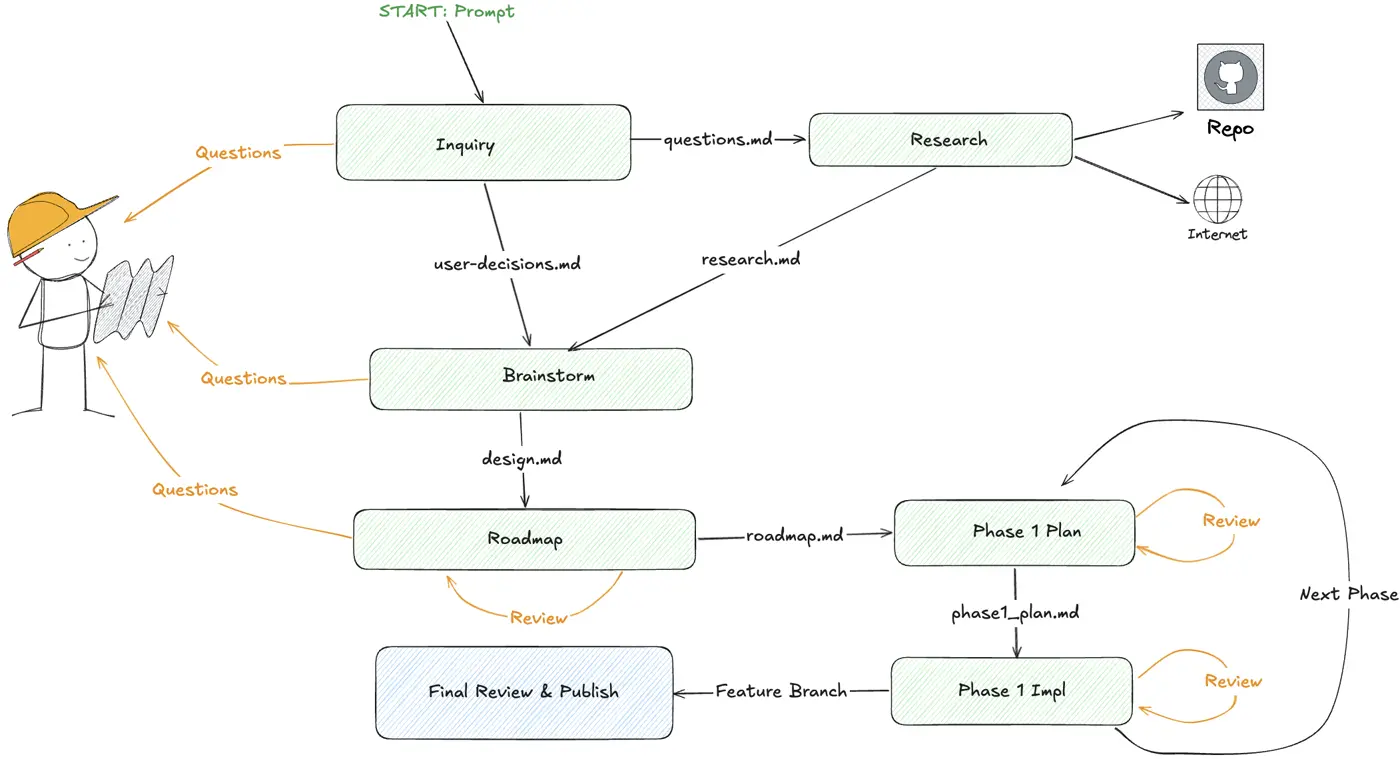
DoorDash open-source TUI that turns large feature requests into checkpointed multi-phase coding-agent workflows across Claude Code, Codex, and OpenCode.

Open-source CLI and MCP tool that packs whole repositories into AI-friendly formats so coding agents can reason over real codebases with less setup friction.
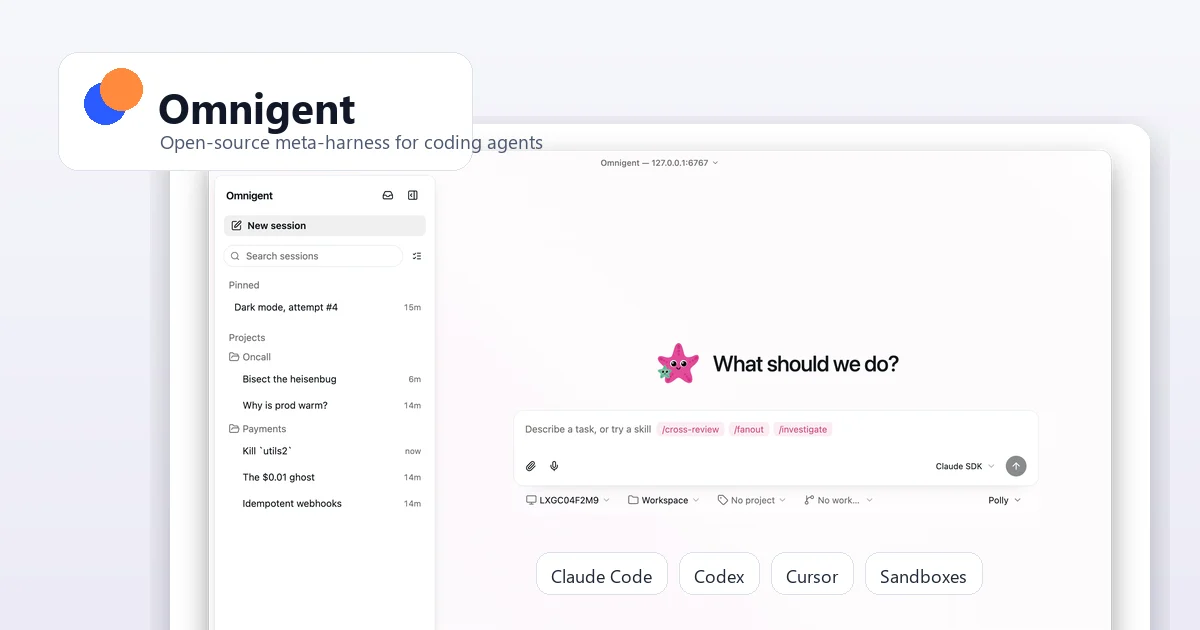
Open-source meta-harness for running, governing, sharing, and switching between coding agents like Claude Code, Codex, Cursor, OpenCode, Hermes, and Pi.
Alternative Tools to Consider

Open-source terminal coding agent with git-native edits, repo mapping, and broad model support

Multi-model frontier coding agent for the terminal and editors with shareable threads, subagents, and usage-based credit billing.

Agentic AI coding assistant that lives in your terminal, understands your entire codebase and automates routine tasks

Beautiful chat interface for Claude Code right inside VS Code, no terminal required

Open-source terminal dashboard for tracking Claude Code token usage, burn rate, and predicted session cutoffs.

OpenAI's repo-aware coding agent spanning terminal CLI, desktop app, IDE integrations, and cloud-assisted development workflows.
Do one more comparison before you commit to Every Code
Strong picks usually survive one more internal check. Read deeper, compare a neighbor, then leave for the vendor page if the fit still holds.