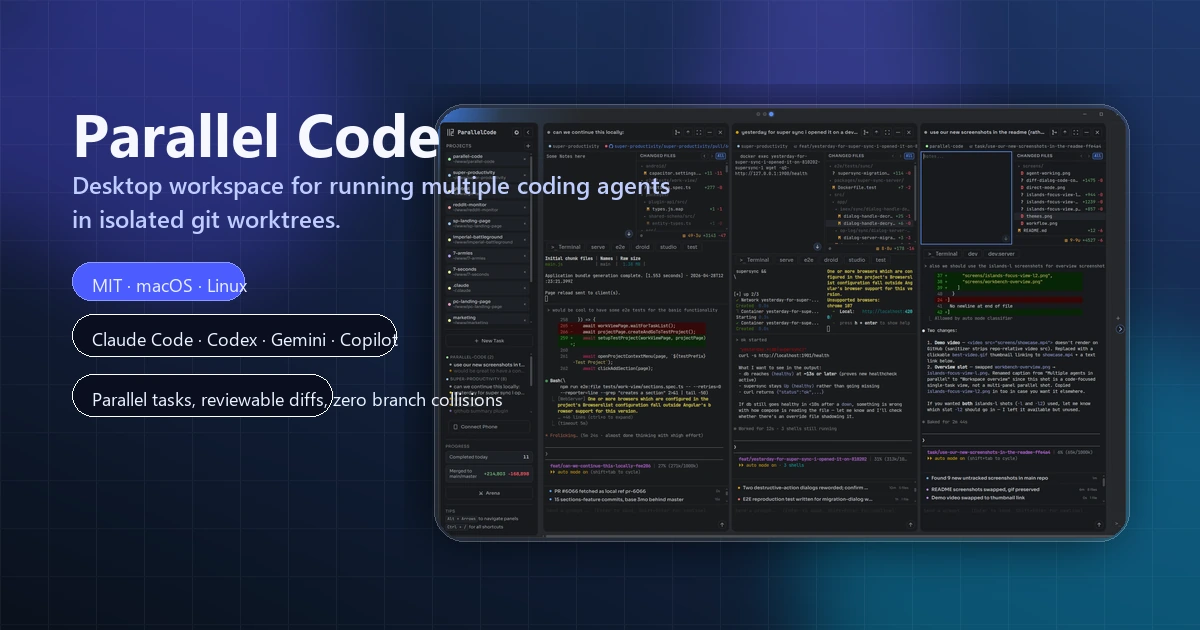
Parallel Code
Open-source desktop workspace for running multiple AI coding agents in parallel across isolated git worktrees.
Do not bounce yet
Read the fit check, compare one alternative, then decide whether the vendor page is still your best next click.
Quick Verdict
Fast fit check before you leave the page
Make the fit call first. Vendor pages are good at selling, but they rarely tell you where the product is a bad match.
- Developers already using Claude Code, Codex CLI, Gemini CLI, or Copilot CLI who want a cleaner parallel workflow
- Builders splitting one repository into several concurrent AI coding tracks
- Teams that want local-first multi-agent orchestration without moving everything into a browser-only platform
- Public platform support is currently macOS and Linux, so Windows-first teams should not pretend this is cross-platform today.
- You still need the upstream coding agents, credentials, and subscriptions yourself; Parallel Code is the orchestration surface, not the model vendor.
- Running many agents in parallel can multiply review debt and token burn if the operator lacks discipline.
Compare Next
Take one more internal step before the vendor pitch
This is where visitors usually jump out too early. Read one deeper take or open one alternative so the next click is informed instead of impulsive.
Alternative profile
Mux
Open-source desktop and browser coding-agent multiplexer for running parallel AI agents across isolated local, worktree, and SSH workspaces.
Alternative profile
Claude Squad
Open-source terminal app for managing multiple AI coding agents like Claude Code, Codex, OpenCode, and Aider across isolated workspaces.
Alternative profile
HumanLayer
Open-source IDE and orchestration layer for AI coding agents, built around keyboard-first Claude Code workflows, parallel sessions, and team-scale context engineering.
Parallel Code is aimed at a very real problem that a lot of AI coding demos politely ignore: once you want multiple agents working on one repo, your process can turn into garbage fast. Shared branches are sloppy, unmanaged terminals are noisy, and manually stitching together worktrees, reviews, and merges is tolerable only if your time is cheap.
Parallel Code is a desktop control layer for developers who already use terminal coding agents and have run into the obvious scaling problem: one agent is manageable, five agents become branch soup. Instead of forcing you into a new editor, it launches Claude Code, Codex CLI, Gemini CLI, Copilot CLI, and similar tools in parallel, gives each task its own git branch and worktree, and adds a visual review layer for diffs, merges, and task supervision. That makes it meaningfully relevant to real vibe-coding and agent-coding workflows, especially when you want parallel throughput without pretending shared branches or hand-rolled tmux rituals are good process.
Why Choose Parallel Code?
Choose Parallel Code if you already use terminal coding agents and the bottleneck is no longer model access but coordination, isolation, and review.
Its desktop layer is useful precisely because it does not try to replace your editor; it organizes agents and worktrees while letting your normal coding environment stay intact.
The strongest differentiator is not just 'parallel agents' but parallel agents with branch and worktree discipline, which is the difference between throughput and self-inflicted chaos.
The open-source MIT codebase, polished official site, and recent release cadence make it more defensible than most launch-week orchestration wrappers.
Key Features
Runs multiple AI coding agents in parallel, each inside its own git branch and worktree instead of one shared mess.
Works with existing terminal-native agents such as Claude Code, Codex CLI, Gemini CLI, Copilot CLI, and Antigravity CLI rather than locking you into one model vendor.
Adds a desktop review layer with changed-files inspection, diff review, inline comments, and one-click merge back to main.
Supports bring-your-own-editor workflows, so Parallel Code manages orchestration while VS Code, Cursor, JetBrains, or Sublime stays in place.
Includes quality-of-life features such as focus mode, notes per task, AI Arena comparisons, CI status watching, and phone-based monitoring over Wi-Fi or Tailscale.
Supports optional Docker sandboxing through project-specific Dockerfiles, which is more serious than the usual launch-week wrapper with no execution model story.
Pros & Cons
- Parallel Code solves a real operational problem once you move beyond one foreground coding agent and start caring about throughput, isolation, and reviewability.
- The worktree-first approach is saner than making several agents collide in one repo checkout or asking humans to manually babysit tmux plus git plumbing.
- Bring-your-own-editor support is strategically strong because it avoids forcing another AI-native IDE migration just to get multi-agent orchestration.
- Open-source MIT licensing, a polished site, and a fast 2026 release cadence make it much more credible than most wrapper launches.
- Public platform support is currently macOS and Linux, so Windows-first teams should not pretend this is cross-platform today.
- You still need the upstream coding agents, credentials, and subscriptions yourself; Parallel Code is the orchestration surface, not the model vendor.
- Running many agents in parallel can multiply review debt and token burn if the operator lacks discipline.
- If you are already perfectly happy managing worktrees, terminals, and diff review by hand, the desktop layer may feel like convenience rather than necessity.
Detailed Use Cases for Parallel Code
Use Parallel Code when one repository needs multiple AI agents at once and you want each task isolated inside its own worktree instead of gambling on a shared checkout.
Parallel Code is relevant when you want a visual control layer for changed files, diffs, inline comments, and merge decisions rather than treating agent output as auto-ship material.
The tool fits developers who like VS Code, Cursor, JetBrains, or Sublime and do not want multi-agent workflows to force yet another editor migration.
It is useful when you want several agents grinding through backlog items or flaky fixes in parallel while you keep review control instead of staring at one terminal forever.
Who Should Use Parallel Code?
Developers already using Claude Code, Codex CLI, Gemini CLI, or Copilot CLI who want a cleaner parallel workflow
Builders splitting one repository into several concurrent AI coding tracks
Teams that want local-first multi-agent orchestration without moving everything into a browser-only platform
Engineers who care about reviewable diffs and git isolation more than hype around autonomous coding
Perfect For
Splitting several repo tasks across parallel AI coding agents without wrecking branch hygiene.
Comparing different agent outputs or prompt framings side by side before deciding what actually deserves to ship.
Keeping a local-first multi-agent workflow while preserving your existing editor and terminal habits.
Supervising long-running background coding tasks with clearer review and merge controls than raw shell sessions provide.
Technical Details
Parallel Code Comparisons & Alternatives
Parallel Code review
Parallel Code vs Claude Squad
Parallel Code vs HumanLayer
desktop app for multiple coding agents
git worktree AI coding tool
parallel Claude Code and Codex workflow
Developers compare Parallel Code with other vibe coding tools when they need a better workflow fit, not just a better landing page.
Direct Competitors
Claude Squad
HumanLayer
OpenCode
tmux + git worktree
Similar Tools You Might Like
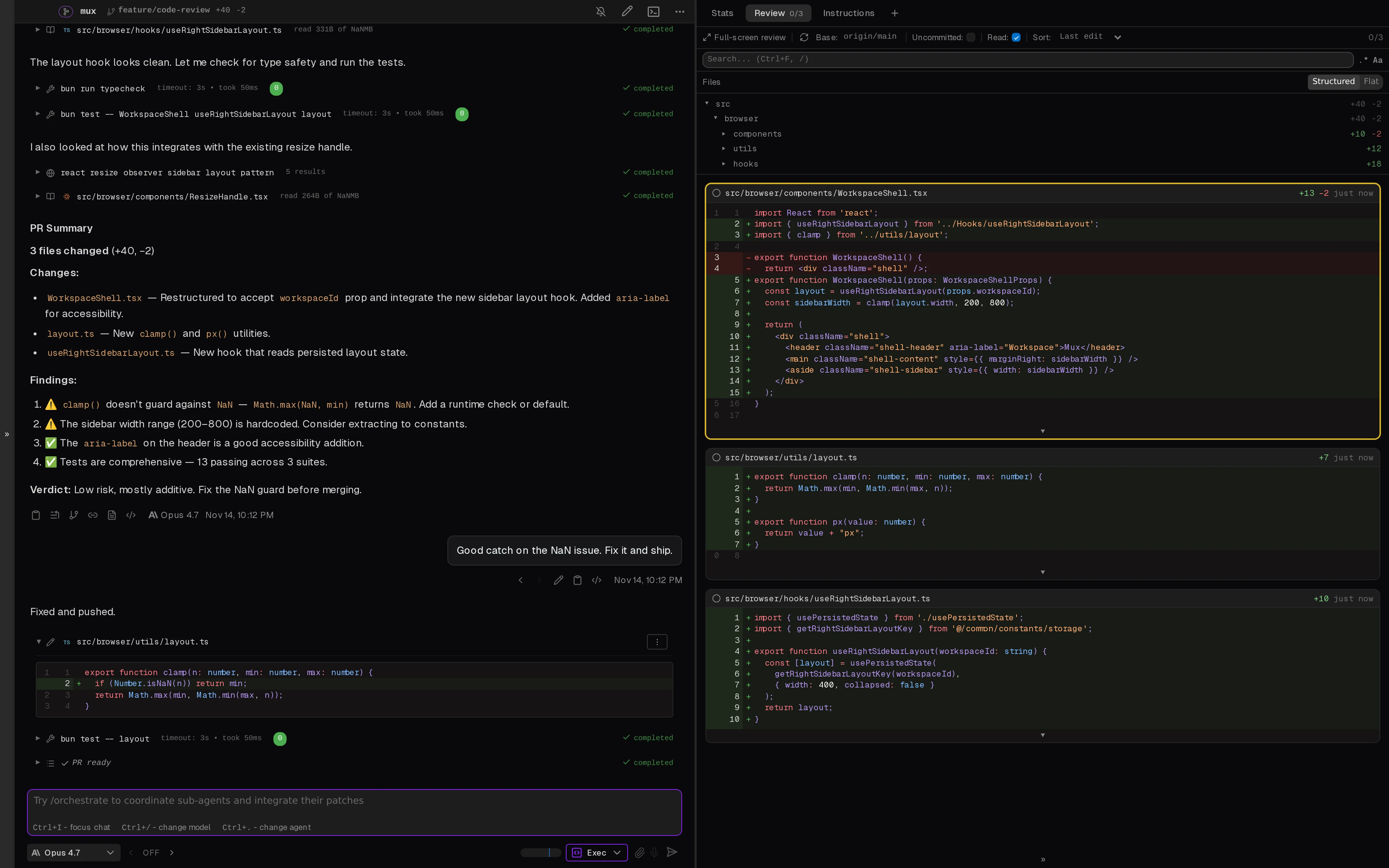
Open-source desktop and browser coding-agent multiplexer for running parallel AI agents across isolated local, worktree, and SSH workspaces.

Open-source macOS desktop UI for orchestrating Claude Code and OpenAI Codex with local CLI auth and parallel threads.

Free open-source worktree IDE for running Claude Code, Codex, OpenCode, and other terminal coding agents side by side.
Alternative Tools to Consider
Open-source desktop and browser coding-agent multiplexer for running parallel AI agents across isolated local, worktree, and SSH workspaces.

Open-source terminal app for managing multiple AI coding agents like Claude Code, Codex, OpenCode, and Aider across isolated workspaces.

Open-source IDE and orchestration layer for AI coding agents, built around keyboard-first Claude Code workflows, parallel sessions, and team-scale context engineering.

Open-source coding agent for the terminal with provider-agnostic model support, built-in agents, and optional desktop/IDE surfaces.
Do one more comparison before you commit to Parallel Code
Strong picks usually survive one more internal check. Read deeper, compare a neighbor, then leave for the vendor page if the fit still holds.