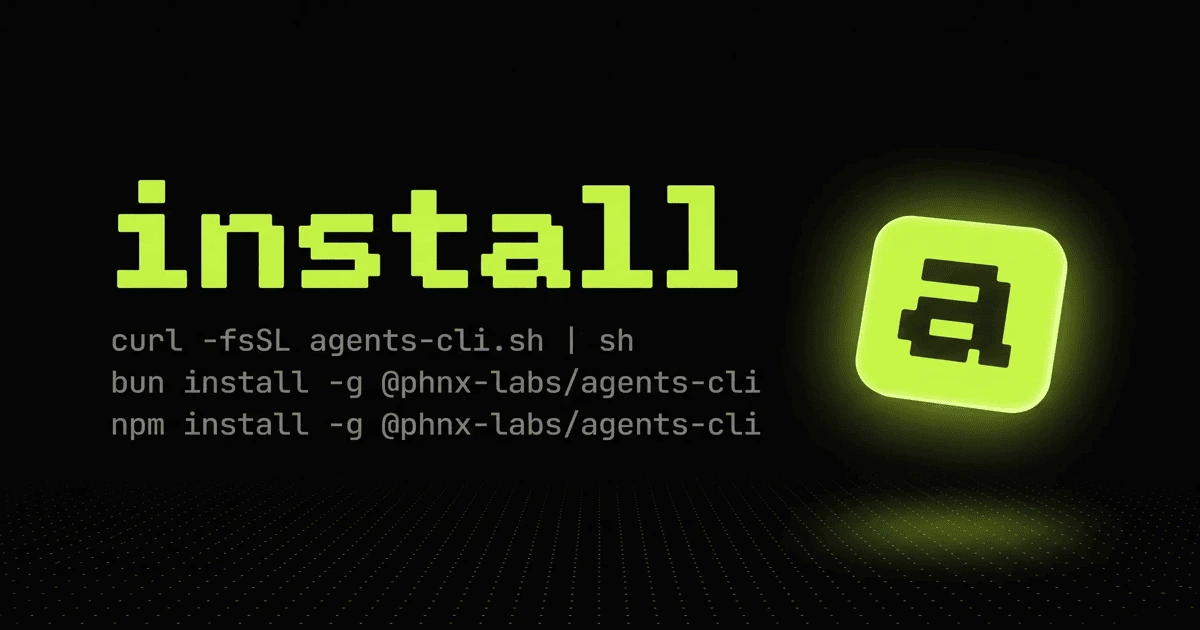
Agents CLI
Meta-harness for terminal coding agents that unifies Claude Code, Codex, Gemini, and similar tools behind one team-oriented CLI.
Do not bounce yet
Read the fit check, compare one alternative, then decide whether the vendor page is still your best next click.
Quick Verdict
Fast fit check before you leave the page
Make the fit call first. Vendor pages are good at selling, but they rarely tell you where the product is a bad match.
- Developers already using terminal-native coding agents like Claude Code or Codex
- Teams that want one reusable control layer above multiple agent harnesses
- Builders who need shared hooks, workflows, and project-level agent resources
- This is still an early-stage project with very low public adoption, so confidence should stay moderate until more external proof appears.
- macOS is clearly the best-supported host today; Linux works, but some convenience features like Touch ID-backed secrets are macOS-only.
- The meta-harness idea adds operational power, but also more complexity than a solo developer needs if they only run one agent occasionally.
Compare Next
Take one more internal step before the vendor pitch
This is where visitors usually jump out too early. Read one deeper take or open one alternative so the next click is informed instead of impulsive.
Alternative profile
Claude Code Router
MIT-licensed local gateway and desktop control plane for routing Claude Code, Codex, Grok CLI, and compatible agents across model providers.
Alternative profile
Agent Deck
Open-source terminal session manager for running and supervising multiple AI coding agents across isolated git worktrees.
Alternative profile
Agent of Empires
Open-source terminal and web session manager for running multiple AI coding agents across isolated git worktrees and sandboxes.
Agents CLI is for developers who already understand that one coding agent in one terminal is not an operating model. Instead of locking a team into one vendor surface, it acts as a meta-harness above tools like Claude Code, Codex, and Gemini-style CLIs, then adds shared resources, parallel team execution, and workflow infrastructure around them.
Agents CLI is a meta-harness for developers who already know one coding agent is not a complete workflow. Instead of locking you into a single vendor surface, it sits above tools like Claude Code, Codex, and Gemini-style CLIs, adds parallel team execution, shared ~/.agents resources, routines, secrets management, and browser or Electron driving, then lets teams reuse the same control layer across projects. The catch matters: this is still an early-stage project with thin market proof, so it belongs in the directory as a credible emerging tool, not as a battle-tested default winner.
Why Choose Agents CLI?
Choose Agents CLI when the real problem is operating multiple coding agents coherently, not shopping for another shiny prompt wrapper.
Its harness-agnostic model matters because it lets teams build one workflow layer above several upstream agent tools instead of rebuilding process per vendor.
The shared ~/.agents resource model is more serious than ad hoc prompts because it treats skills, hooks, workflows, and secrets conventions as reusable infrastructure.
Browser and Electron driving make it relevant to QA-heavy agent workflows, not just raw text-to-code loops.
Key Features
Run terminal coding agents like Claude Code, Codex, and Gemini-style harnesses through one shared control layer instead of rebuilding workflows per vendor.
Launch parallel agent teams in isolated terminals so reviews, bug hunts, and implementation work do not all collapse into one foreground session.
Layer shared resources under ~/.agents, including project, user, and system-level skills, plugins, workflows, hooks, and related configuration.
Add routines, secrets management, and browser or Electron driving for teams that want more than plain prompt-to-shell loops.
Support docs and configuration aimed at reusing the same agent operating model across multiple projects rather than one-off local hacks.
Ship as an MIT-licensed open-source project with a public site, public repository, and deeper documentation than most launch-day wrappers.
Pros & Cons
- Agents CLI is aimed at a real problem: operating several coding agents coherently instead of pretending one chat window is a scalable team workflow.
- The harness-agnostic approach is strategically useful because it preserves vendor optionality above upstream tools like Claude Code and Codex.
- Shared ~/.agents layering is more serious than a prompt pack because it treats agent resources as reusable team infrastructure.
- Browser and Electron driving expand the tool beyond pure code generation into QA and interaction-heavy workflows.
- This is still an early-stage project with very low public adoption, so confidence should stay moderate until more external proof appears.
- macOS is clearly the best-supported host today; Linux works, but some convenience features like Touch ID-backed secrets are macOS-only.
- The meta-harness idea adds operational power, but also more complexity than a solo developer needs if they only run one agent occasionally.
- Agents CLI depends on upstream coding agents and accounts, so quality, billing, and failure modes are still inherited from the tools you plug into it.
Detailed Use Cases for Agents CLI
Use Agents CLI when your team wants a shared operating model above several upstream coding agents instead of committing every process decision to one vendor surface.
Its team-oriented terminal model is useful when implementation, review, and debugging tasks need to run simultaneously without becoming shell chaos.
The ~/.agents layering approach matters when you want reusable hooks, workflows, and skills at the user or project level rather than copy-pasting setup instructions per repo.
Agents CLI is more interesting than a plain code wrapper if your workflow includes browser or Electron driving for testing, reproduction, and product QA.
Who Should Use Agents CLI?
Developers already using terminal-native coding agents like Claude Code or Codex
Teams that want one reusable control layer above multiple agent harnesses
Builders who need shared hooks, workflows, and project-level agent resources
Operators coordinating parallel coding and QA tasks across several agent sessions
Perfect For
Standardizing one operator workflow across Claude Code, Codex, Gemini-style agents, and adjacent terminal-native harnesses.
Running several agent tasks in parallel during implementation, review, or debugging without improvising terminal sprawl.
Sharing project-level agent resources, workflows, hooks, and secrets conventions through layered ~/.agents repositories.
Combining coding agents with browser or Electron driving for QA, reproduction, and interface-heavy tasks.
Technical Details
Agents CLI Comparisons & Alternatives
Agents CLI review
Agents CLI vs Agent Deck
Agents CLI vs Agent of Empires
meta harness for coding agents
multi agent CLI for Claude Code and Codex
Developers compare Agents CLI with other vibe coding tools when they need a better workflow fit, not just a better landing page.
Direct Competitors
Agent Deck
Agent of Empires
Claude Code
OpenCode
Similar Tools You Might Like
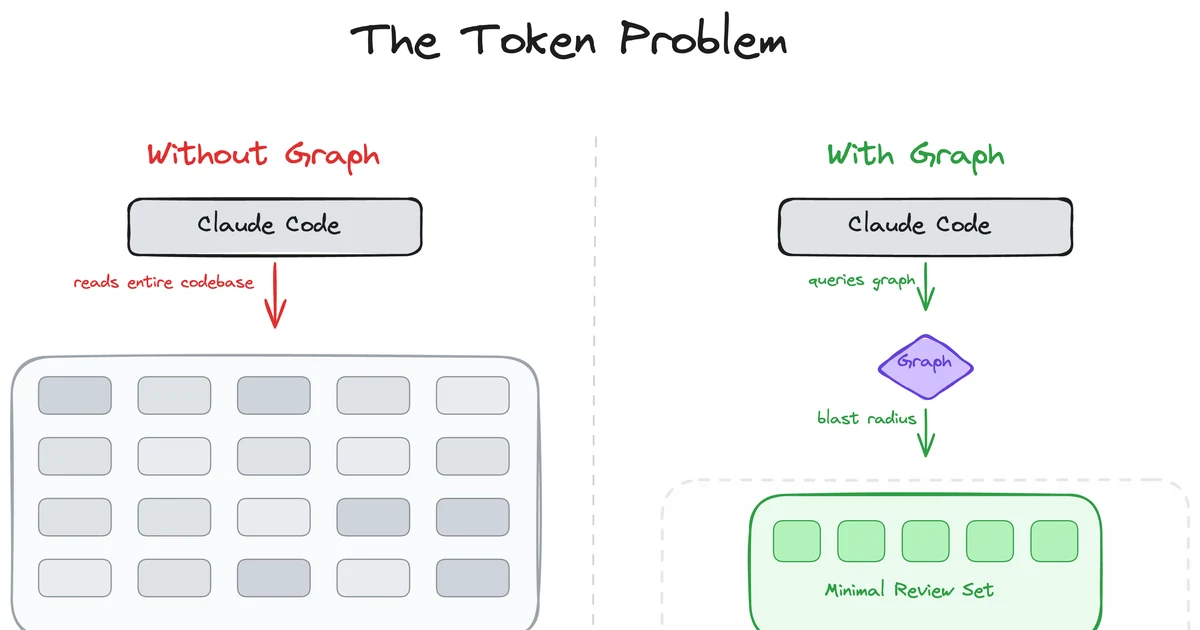
MIT-licensed local code-intelligence graph that gives Claude Code, Codex, Cursor, Copilot, and other MCP clients targeted review context.
MIT-licensed loop-engineering state kernel and local control plane for keeping Codex, Claude Code, Cursor, and peer agent teams on long-running goals.
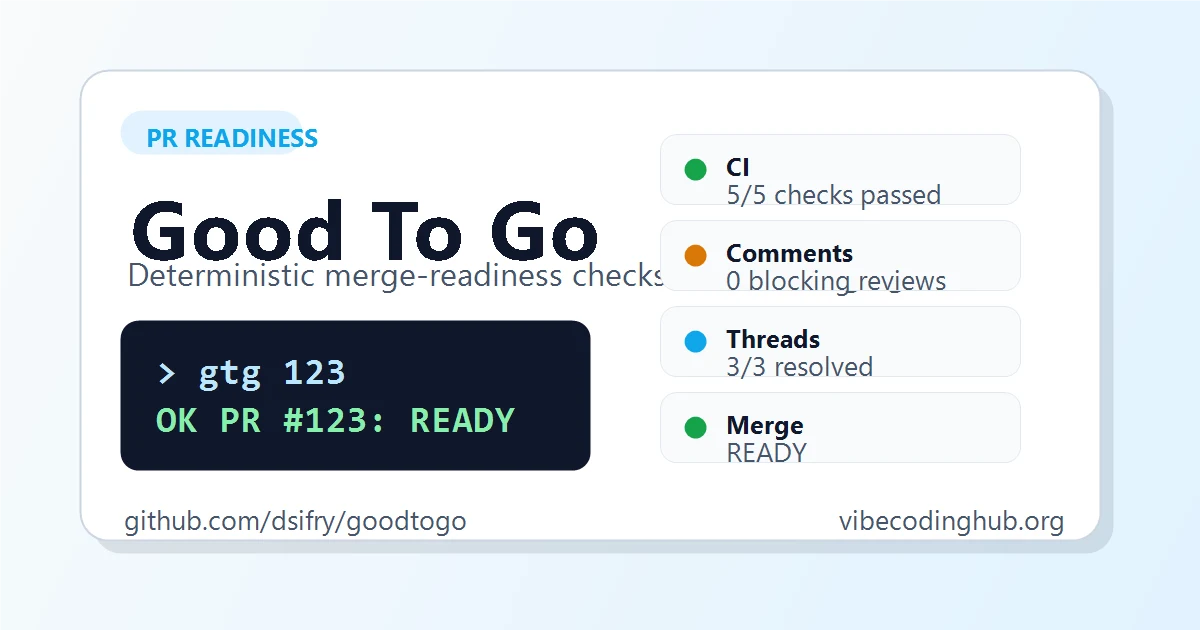
MIT-licensed CLI that gives AI coding agents a deterministic answer on whether a GitHub pull request is ready to merge.
Alternative Tools to Consider

MIT-licensed local gateway and desktop control plane for routing Claude Code, Codex, Grok CLI, and compatible agents across model providers.

Open-source terminal session manager for running and supervising multiple AI coding agents across isolated git worktrees.

Open-source terminal and web session manager for running multiple AI coding agents across isolated git worktrees and sandboxes.

Agentic AI coding assistant that lives in your terminal, understands your entire codebase and automates routine tasks

Beautiful chat interface for Claude Code right inside VS Code, no terminal required

Open-source terminal dashboard for tracking Claude Code token usage, burn rate, and predicted session cutoffs.
Do one more comparison before you commit to Agents CLI
Strong picks usually survive one more internal check. Read deeper, compare a neighbor, then leave for the vendor page if the fit still holds.