
Paseo
Self-hosted cross-device control layer for Claude Code, Codex, Copilot, OpenCode, and Pi across web, desktop, mobile, and CLI.
Do not bounce yet
Read the fit check, compare one alternative, then decide whether the vendor page is still your best next click.
Quick Verdict
Fast fit check before you leave the page
Make the fit call first. Vendor pages are good at selling, but they rarely tell you where the product is a bad match.
- Developers already using Claude Code, Codex, Copilot, OpenCode, or Pi who want a better control plane without abandoning native harnesses
- Solo builders and founders who want to launch work from a desk and check or steer runs later from mobile or web
- Teams experimenting with parallel coding-agent runs, worktree isolation, and review workflows across several machines or operators
- You still need upstream agent CLIs and their own credentials, subscriptions, and usage policies; Paseo improves control but does not remove that dependency.
- Running a daemon, optional relay, and cross-device connectivity is more setup than opening a single local CLI session, especially for solo developers who never leave one machine.
- AGPL-3.0 is real open source, but some commercial teams will still treat strong copyleft as a practical procurement or distribution constraint.
Compare Next
Take one more internal step before the vendor pitch
This is where visitors usually jump out too early. Read one deeper take or open one alternative so the next click is informed instead of impulsive.
Related article
Paseo Review 2026: Cross-Device Control for Claude Code, Codex, OpenCode, and Pi
A practical Paseo review covering official links, install paths, supported agents, pricing reality, privacy, AGPL licensing, tradeoffs, and alternatives.
Alternative profile
Agent Deck
Open-source terminal session manager for running and supervising multiple AI coding agents across isolated git worktrees.
Alternative profile
Agent of Empires
Open-source terminal and web session manager for running multiple AI coding agents across isolated git worktrees and sandboxes.
Alternative profile
OpenHands
Source-available coding agent platform with a web GUI, CLI, and SDK for running autonomous software tasks locally or in the cloud.
Paseo matters because it solves a real operations problem that shows up as soon as coding agents become part of normal work: one terminal on one machine is not enough once tasks run long, branch in parallel, or need review away from the desk. Instead of replacing Claude Code, Codex, Copilot, OpenCode, or Pi, Paseo wraps their native harnesses inside a self-hosted control layer you can drive from desktop, web, mobile, or CLI while keeping your own machine, credentials, and local tooling in the loop.
Paseo has grown into a real operating layer for people who already use serious coding agents and are tired of pretending one terminal on one machine is enough. It runs a self-hosted daemon on your own hardware, lets you launch and steer Claude Code, Codex, Copilot, OpenCode, and Pi from desktop, web, mobile, or CLI clients, and adds workflow features that matter in practice: worktree isolation, inline diff review, preview URLs, PR handoff, remote access, and no forced telemetry. That makes it materially more useful than another glossy wrapper, because it is solving orchestration and operator workflow for multi-agent development instead of just repainting the chat box.
Why Choose Paseo?
Most coding-agent tools still collapse everything into one foreground session, which becomes painful when you need parallel runs, remote access, or clean review handoffs.
Paseo is multi-provider by design and explicitly supports native upstream harnesses, so switching models or vendors does not require switching your entire control plane.
Worktree support, branch-based previews, inline diff review, and PR flows are real workflow features, not cosmetic UI chrome.
Its self-hosted, no-telemetry posture is materially more trustworthy than hosted wrappers that want code access plus operator analytics.
Cross-device access is not a gimmick when agents run for hours and you still need to inspect progress or steer follow-up work from your phone.
Key Features
Runs and supervises Claude Code, Codex, Copilot, OpenCode, and Pi from unified desktop, web, mobile, and CLI surfaces, with the official site also advertising 33+ additional agent integrations.
Self-hosted daemon keeps agents on your own machine or server so your existing credentials, MCP servers, shells, skills, and local development environment remain in play.
Worktree-aware execution, inline diff review, and preview flows are built for parallel agent work instead of assuming one branch and one foreground terminal.
Cross-device workflow lets you launch work at a desk, review diffs or logs from a phone, and continue orchestration from the terminal without switching products.
Branch-based preview URLs and review-then-PR workflows reduce the usual port-conflict and handoff mess that appears once several agents are active at once.
Privacy-first posture is explicit: no forced accounts, no product telemetry, optional direct connection, and end-to-end encrypted relay support when remote access is needed.
Voice mode and scriptable CLI flows extend it beyond passive monitoring into a real operator interface for long-running agent sessions.
Pros & Cons
- Paseo is differentiated because it coordinates native agent harnesses you already use instead of asking you to abandon them for one more proprietary shell.
- The combination of worktrees, previews, inline review, and PR handoff targets real multi-agent repo operations rather than cosmetic remote-control demos.
- Cross-device parity is not fluff here: desktop, web, mobile, and CLI access is genuinely useful when agent runs outlive the desk session that started them.
- Its traction is no longer theoretical, which lowers the risk that you are standardizing on an abandoned side project.
- Self-hosted deployment plus no-telemetry positioning is a much saner trust story than hosted wrappers that want your source code and your operator behavior.
- You still need upstream agent CLIs and their own credentials, subscriptions, and usage policies; Paseo improves control but does not remove that dependency.
- Running a daemon, optional relay, and cross-device connectivity is more setup than opening a single local CLI session, especially for solo developers who never leave one machine.
- AGPL-3.0 is real open source, but some commercial teams will still treat strong copyleft as a practical procurement or distribution constraint.
- A control plane is not a full replacement for editor-native implementation work, so many developers will still keep their IDE or terminal as the primary editing surface.
Detailed Use Cases for Paseo
Use Paseo to launch a task from desktop or CLI, then inspect logs, diffs, and follow-up prompts later from web or mobile instead of parking yourself in front of one machine.
Teams testing Claude Code, Codex, Copilot, OpenCode, or Pi can run them through one control layer while keeping worktrees isolated and easier to review.
Paseo is useful when you want branch-aware previews, inline diff review, and pull-request-oriented handoff steps without bouncing between several disconnected tools.
Who Should Use Paseo?
Developers already using Claude Code, Codex, Copilot, OpenCode, or Pi who want a better control plane without abandoning native harnesses
Solo builders and founders who want to launch work from a desk and check or steer runs later from mobile or web
Teams experimenting with parallel coding-agent runs, worktree isolation, and review workflows across several machines or operators
Infra-minded developers who prefer self-hosted agent operations and explicit privacy boundaries over another black-box SaaS wrapper
Perfect For
Launch a long-running coding task on your main machine, then monitor logs, diffs, and follow-up prompts later from web or mobile without babysitting the same terminal window.
Run different agent providers against the same repo while keeping branches and worktrees isolated instead of letting parallel runs trample each other.
Review changes, verify previews, and hand work off into commit or pull-request steps from the same control layer instead of stitching together terminals, browser tabs, and ad hoc scripts.
Use the CLI, skills, and voice features to orchestrate higher-level agent workflows such as handoffs, loops, or second-opinion reviews.
Technical Details
Paseo Comparisons & Alternatives
Paseo review
Paseo vs Agent Deck
Paseo vs OpenHands
self-hosted coding agent control plane
remote Claude Code from phone
multi-provider coding agent orchestrator
Developers compare Paseo with other vibe coding tools when they need a better workflow fit, not just a better landing page.
Direct Competitors
Agent Deck
Agent of Empires
OpenHands
Circus Chief
Similar Tools You Might Like
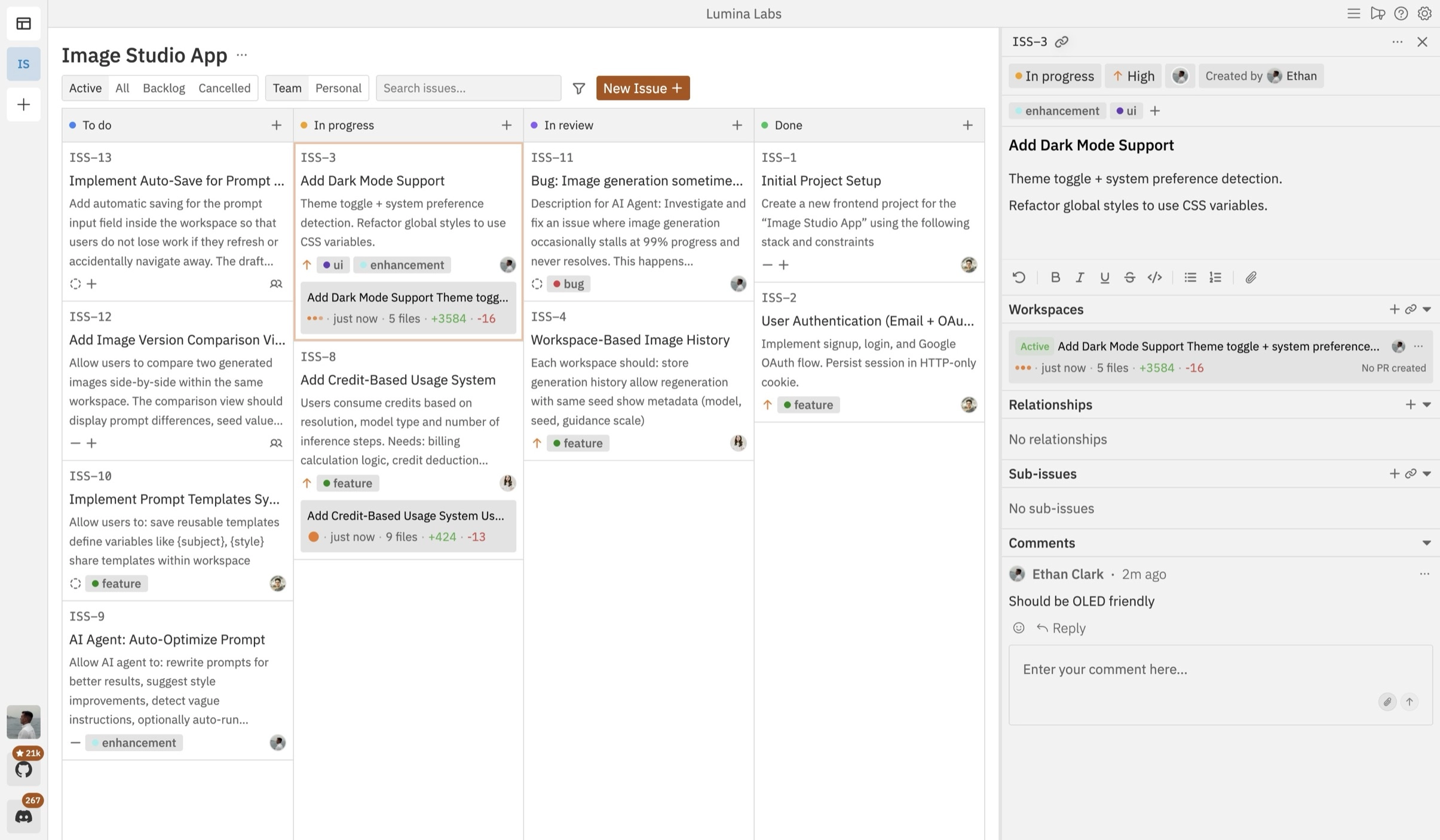
Open-source Kanban control plane for planning, running, and reviewing multiple coding agents across isolated workspaces.

Bolt.new is a browser-based AI app builder that can prompt, run, edit, and deploy full-stack web apps without local setup.

Agent-native software development workspace for delegating refactors, migrations, incident response, and other repo tasks across IDE, CLI, browser, and chat.
Alternative Tools to Consider

Open-source terminal session manager for running and supervising multiple AI coding agents across isolated git worktrees.

Open-source terminal and web session manager for running multiple AI coding agents across isolated git worktrees and sandboxes.

Source-available coding agent platform with a web GUI, CLI, and SDK for running autonomous software tasks locally or in the cloud.

Minimal open-source terminal coding agent focused on extensibility, tree-structured sessions, and shell-native repo workflows.
Minimal terminal coding harness with extensions, skills, tree-structured sessions, and serious multi-provider model support.
Do one more comparison before you commit to Paseo
Strong picks usually survive one more internal check. Read deeper, compare a neighbor, then leave for the vendor page if the fit still holds.